 Full Screen button to expand the display of
content on main screen to fill entire screen.
Full Screen button to expand the display of
content on main screen to fill entire screen. Click the Full Screen button to expand the display of
content on main screen to fill entire screen.
Perform one of the actions below to exit the full screen view:
· Click the Esc key on your keyboard.
·
Click the  (exit full screen) button or hover
and click the exit button that displays.
(exit full screen) button or hover
and click the exit button that displays.
·
Hover
near top center of screen to display another exit option ( ).
).

Figure 50: Full Screen Button
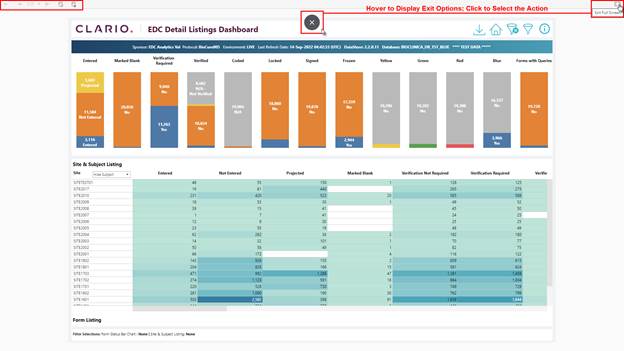
Figure 51: Additional Options May Be Available in Full Screen View
Related Topics